Why Does ChatGPT Keep Crashing?: Common Causes and Proven Fixes
If ChatGPT keeps crashing, freezing mid-response, refreshing unexpectedly, or showing error messages, you’re far from alone. Many users experience daily issues where ChatGPT stops working properly — especially during heavy usage periods or on restricted networks.
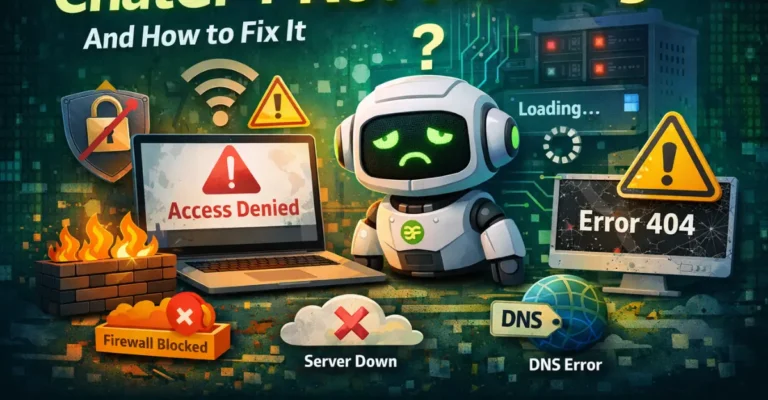
While occasional outages do happen, most ChatGPT crashes are caused by browser conflicts, network blocks, overloaded servers, or unstable connections.
In this guide, you’ll learn the real reasons ChatGPT crashes — and how to fix it quickly and safely.
Common Reasons ChatGPT Keeps Crashing
Understanding the root cause makes troubleshooting much easier.
Server Overload and High Traffic
ChatGPT handles millions of users at once. When demand spikes:
- Pages may freeze
- Responses fail to generate
- Sessions crash suddenly
This usually happens during peak hours.
Quick fix: Wait a few minutes and refresh the page.
Network Restrictions and Firewalls
Some networks throttle or partially block AI tools, which can cause:
- Constant loading loops
- Sudden disconnections
- Error messages after prompts
This is especially common on school, work, and public WiFi networks.
👉 If crashes happen only on certain connections, restoring proper access is the best solution. A complete step-by-step guide is available here:
ChatGPT Unblocked: How to Access ChatGPT Free, Fix Blocks, & Restore Access?
Browser Cache and Corrupted Data
Old cached files often interfere with ChatGPT’s web app.
Symptoms include:
- Blank screens
- Frequent refreshes
- Crashes after sending messages
Fix:
Clear cache and cookies, restart the browser, and reload ChatGPT.
Conflicting Extensions or VPN Tools
Ad blockers, privacy tools, or unstable VPNs may block scripts ChatGPT needs to function.
Try:
- Temporarily disabling extensions
- Turning off VPN
- Reloading the page
Many crashes stop immediately after doing this.
Weak or Unstable Internet Connection
ChatGPT requires a stable real-time connection. Poor connectivity can lead to:
- Incomplete responses
- Page crashes
- Constant reloads
Switching networks often fixes this instantly.
How to Fix ChatGPT Crashing Issues? (Step-by-Step)
Clear Browser Cache and Cookies
- Open browser settings
- Clear cached data and cookies
- Restart browser
- Reopen ChatGPT
This solves many crash issues.
Switch Internet Connections
Try:
- Mobile data
- Different WiFi network
- Hotspot
If ChatGPT works smoothly elsewhere, your main network may be restricting access.
Disable Browser Extensions
Turn off ad blockers, script blockers, and security plugins temporarily.
Log Out and Log Back In
Refreshing your session often removes temporary bugs.
Update Your Browser
Older browser versions may not support ChatGPT’s latest features properly.
Why ChatGPT Crashes More on Restricted Networks
Some networks don’t fully block ChatGPT — they partially restrict data flow.
This leads to:
- slow responses
- broken sessions
- frequent crashes
If ChatGPT only crashes on certain WiFi networks, restoring full connectivity is usually the permanent fix.
When ChatGPT Crashes Are Not Your Fault?
Sometimes crashes are caused by:
✔ OpenAI maintenance
✔ platform updates
✔ temporary outages
These resolve on their own.
However, if crashes happen regularly, the issue is almost always local — not server-side.
Is It Safe to Fix ChatGPT Access Issues?
Yes — when using legitimate methods.
Avoid:
❌ Fake “ChatGPT booster” apps
❌ Unknown browser downloads
❌ Websites asking for login details
Stick with secure fixes only.
Final Thoughts
ChatGPT crashes usually happen because of:
- network restrictions
- overloaded servers
- browser conflicts
- unstable connections
The good news is that most issues can be fixed within minutes.
If crashes happen only on certain networks, restoring proper access is the most effective long-term solution.